Install & launch
- Download
qupath-extension-sp-classify-0.3.3-all.jarfrom the Releases page, or build it from source — see CLAUDE.md. - Delete any older
qupath-extension-sp-classify-*-all.jarfrom QuPath's extensions folder. If an old copy stays there, QuPath may load it instead of the new one. Then copy the new JAR into the folder, or drag it onto the QuPath window: - Windows:
C:\Users\<you>\QuPath\v0.7\extensions\ - Linux:
~/.local/share/QuPath/v0.7/extensions/ - macOS:
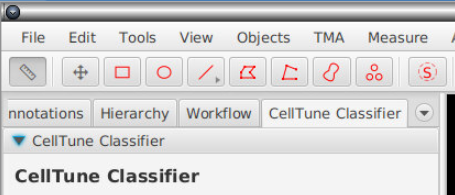
~/Library/Application Support/QuPath/v0.7/extensions/ - Restart QuPath. SP Classify is added as a tab in the analysis pane (the panel with the Project, Image and Annotations tabs). If the tab is not visible, hold the mouse over the row of tab names and scroll the mouse wheel until SP Classify appears.
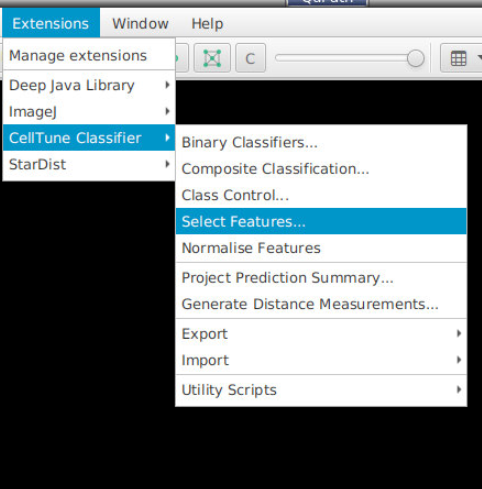
- Other commands are in the Extensions → SP Classify menu.
To turn the extension off, go to Edit → Preferences → SP Classify and untick Enable SP Classify extension.